
What is a SVG Graphics? How Scalable Vectors Work
Are your website images slowing down load times and looking blurry on modern 4K displays? If you are still relying entirely on PNGs or JPEGs for logos and icons, you are falling behind. Understanding what is a SVG graphics and how it works is critical for modern web design. SVGs use math instead of pixels, resulting in file sizes that are up to 80% smaller than traditional formats. Discover how scalable vector graphics can instantly boost your site's SEO, enhance accessibility, and deliver razor-sharp visuals on any screen imaginable.
If you have spent any time in web design, front-end development, or digital marketing recently, you have likely heard the acronym "SVG" thrown around. As we navigate the modern digital landscape, users expect lightning-fast load times and flawless visuals across everything from smartwatches to massive 8K monitors. To meet these demands, developers are moving away from traditional image formats. If you are wondering exactly what is a SVG graphics and why it has become the undisputed king of web imagery, you are in the right place.
In this comprehensive guide, we will dive deep under the hood of modern web design to explore the mechanics of vectors. We will look at how they manage to stay perfectly crisp at any size, and why search engines love them. We will also explore how the recent explosion of AI design tools and modern web standards are pushing this technology even further.
What is a SVG Graphics? The Core Definition
SVG stands for Scalable Vector Graphics. At its core, it is an XML-based image format used to render two-dimensional graphics on the internet. Unlike traditional images that you might take with a digital camera, an SVG is not a flat photograph.
Instead, it is a dynamic, text-based file that contains instructions for drawing shapes, lines, and colors. Because it is written in a markup language, a web browser reads these instructions and renders the image perfectly in real-time. This fundamental difference is what gives the SVG format its unique superpowers.
To truly grasp what is a SVG graphics, you have to understand the critical difference between raster graphics and vector graphics. This distinction is the foundation of modern digital illustration and web performance.
Raster vs. Vector: Why SVG Graphics Win
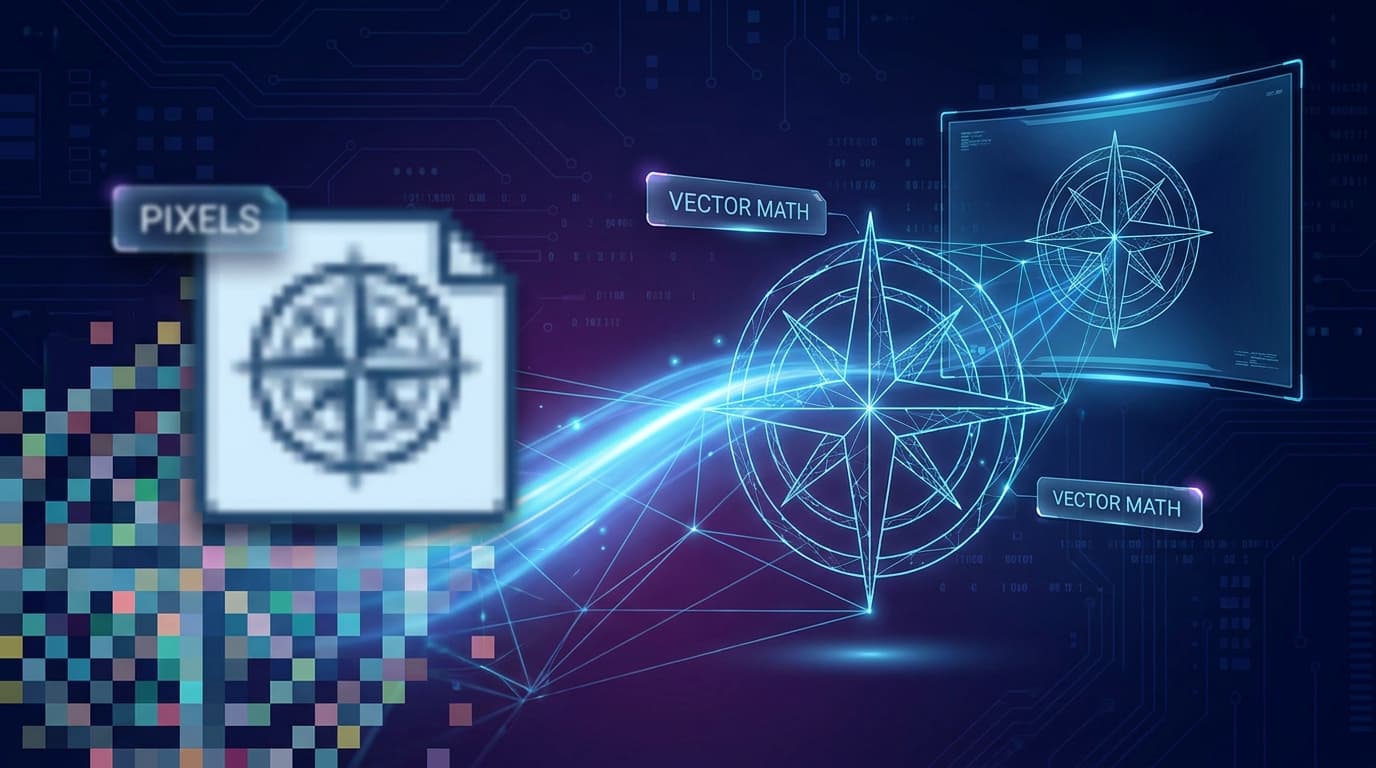
The vast majority of images you interact with daily—like JPEGs, PNGs, and WebP files—are raster graphics. Raster images are made up of a fixed grid of tiny, colored squares called pixels. They are essentially digital mosaics.
If you zoom in closely on a JPEG photograph, you will quickly see the individual pixels. The image becomes a blurry, pixelated mess because the browser is simply stretching those tiny squares beyond their intended size. This means you need multiple versions of a raster image for different screen sizes, which eats up valuable server space.
Vector graphics, on the other hand, operate on an entirely different principle. Instead of pixels, vectors are built using mathematical equations and geometric primitives like points, lines, curves, and polygons. Because they are based on pure math, the browser recalculates the image every time it is displayed.
You can scale a scalable vector graphic to the size of a tiny postage stamp or blow it up to fit on a massive Times Square billboard. Regardless of the dimensions, it will remain 100% razor-sharp without losing a single ounce of quality.
Under the Hood: How SVG Works
If you open a standard JPEG file in a text editor, you will be greeted with thousands of lines of absolute gibberish. It is compiled binary data that only an image viewer can translate. But if you open an SVG file in a text editor, you will see readable, structured code.
Because SVGs are written in XML (eXtensible Markup Language), they are essentially just text files. These files give the browser a specific set of geometric instructions. Let's look at a very basic example of how SVG works in practice.
<svg viewBox="0 0 100 100" xmlns="http://www.w3.org/2000/svg"> <circle cx="50" cy="50" r="40" fill="#f97316" /> </svg>
When a web browser reads the code above, it translates the text into a visual graphic. It essentially says: 'Okay, create a blank canvas. Now, draw a circle right in the center using the X and Y coordinates (cx, cy). Give it a radius of 40 (r), and fill it with the hex color orange.'
This text-based nature is revolutionary. It means that an incredibly complex illustration, which might be a 2MB PNG file, can often be recreated as a 50KB SVG file. This massive reduction in file size is why developers love using vectors to optimize website load speeds.
The DOM Superpower: Styling and Animation
Because an SVG is just markup code, the web browser treats it exactly like standard HTML. Every single shape, line, and path inside an SVG becomes a unique node in the browser’s Document Object Model (DOM).
This is an absolute superpower for web developers and designers. Since the graphic is part of the DOM, you can interact with its individual parts using CSS and JavaScript. You cannot do this with a flat JPEG.
For example, you can use CSS to instantly change the color of an SVG icon when a user hovers their mouse over it. You can use JavaScript to animate specific parts of the image, like making the wheels of an illustrated car spin, or drawing a dynamic line graph in real-time as new data loads.
Why Scalable Vector Graphics are Essential Today
The SVG format has technically been around since 1999, but its capabilities and adoption have skyrocketed in recent years. As we look at the web design landscape in 2026, several key trends are driving the modern vector revolution.
The biggest shift is the integration of Artificial Intelligence. According to recent industry surveys, nearly 70% of front-end developers now use AI-assisted tools to generate or edit vector assets. Platforms like SVGMaker and SVG Genie allow users to simply type a text prompt and instantly receive clean, production-ready mathematical code.
This AI boom has democratized vector illustration. Teams can now create custom icons, logos, and intricate graphics without needing to hire a dedicated illustrator or spend hours in Adobe Illustrator. The code generated by these AIs is highly optimized and ready to be pasted directly into a web project.
Furthermore, the rollout and widespread browser adoption of SVG 2.0 features have made working with vectors smoother than ever. Developers no longer have to rely on hacky workarounds to achieve complex layering or accessibility standards.
Native z-index support: You can now easily control the exact stacking order of SVG elements directly in your CSS.
The paint-order property: This allows precise, granular control over how fills, strokes, and markers are layered on top of one another.
Accessibility upgrades: SVG 2.0 introduced native tabindex support and better integration with WAI-ARIA tags, making interactive graphics fully readable by screen readers.
Finally, we cannot ignore Core Web Vitals and SEO. Search engines like Google heavily penalize slow, sluggish websites. Because vectors are just text, their file sizes are typically 40% to 80% smaller than equivalent raster images, leading to lightning-fast page loads.
Additionally, because the text and metadata inside an SVG is readable by machines, Google can actually index the text inside your graphics. This provides a hidden, highly effective SEO boost that traditional image formats simply cannot offer.
When to Use (and Not Use) SVG Graphics
While understanding what is a SVG graphics reveals its incredible power, it is not a magical solution for every single image on your website. Knowing when to use it—and when to avoid it—is crucial for maintaining web performance.
You should absolutely use SVGs for logos and brand assets, as they must look perfect on every screen size. They are also the standard for icons and UI elements, since they are lightweight and easily styled for dark mode and light mode toggles. Data visualizations and micro-animations are also perfect use cases.
However, you should never use SVGs for complex photographs. SVGs cannot handle complex, multi-colored pixel data efficiently. Trying to vectorize a high-resolution photograph will result in an XML file with millions of mathematical paths, which will cause the user's browser to lag or crash completely.
For photographs, you should stick to optimized formats like WebP, AVIF, or JPEG. Additionally, while vectors can create basic 3D illusions, true 3D graphics and high-performance browser gaming should be left to technologies like WebGL and HTML5 Canvas.
Key Takeaways: Mastering Web Graphics
As web standards continue to evolve, mastering vector graphics is no longer optional for digital professionals. Here is a quick summary of what you need to remember:
Infinite Scalability: Vectors rely on mathematical equations, not pixels, meaning they never lose quality when resized.
Code-Based: Because they are written in XML, they are incredibly lightweight and can be read by search engines for better SEO.
Highly Interactive: You can manipulate individual parts of a vector graphic using CSS and JavaScript for stunning animations.
AI-Ready: Modern AI tools make generating complex vector code easier and faster than ever before.
Not for Photos: Always use WebP or JPEG for complex photographic images to prevent browser performance issues.
In the modern web era, the SVG format is no longer just an alternative image option; it is a foundational building block for creating responsive, interactive, and accessible digital experiences. By leveraging math instead of pixels, you unlock endless programmability.
Whether you are a marketer generating quick icons using new AI tools, or a seasoned developer hand-coding complex data visualizations, mastering this format is incredibly valuable. Ready to elevate your digital toolkit and build smarter web applications? Explore the cutting-edge AI solutions at AIsmith today and see how we can help you streamline your development workflow!
AISmith Team
Author